OperationsWorking nameNot publicly available · Private development
Less time chasing information. More clarity about what matters.
Could you show what’s been checked, what’s outstanding and who needs to act?
Recruitment, staff development, absence, services, forms and everyday management can involve a lot of moving parts. BOLT Operations is being developed to help bring that work into one connected management environment.
Recruitment details in one place, training dates in another, and a return-to-work conversation still waiting. Operations is being developed to connect those management tasks with the person, next action and evidence behind them.
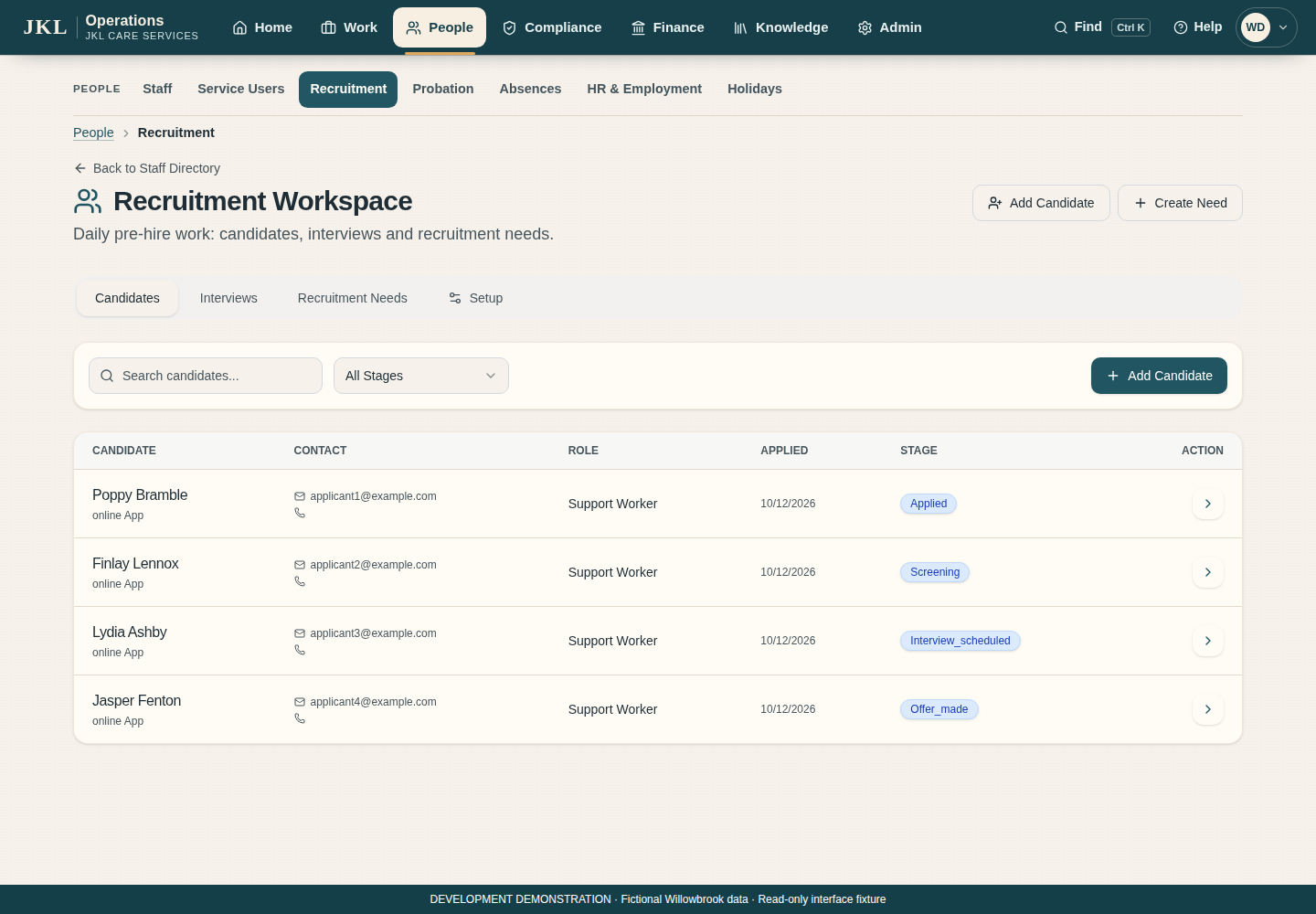
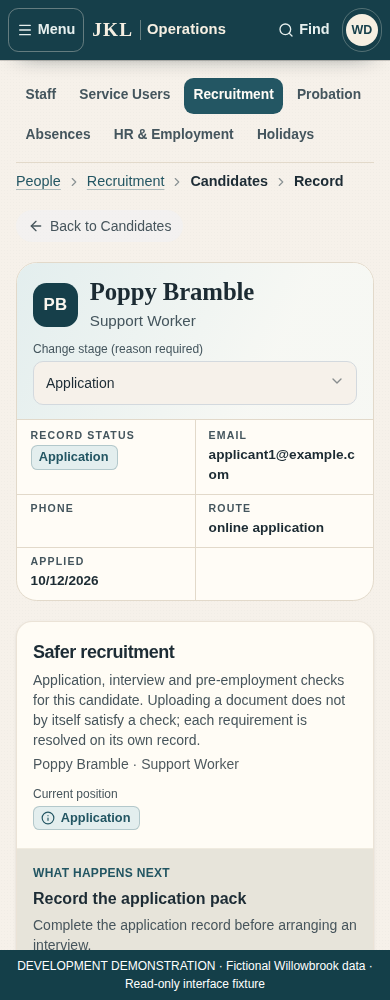
Connected management workspace
Recruitment, staff follow-up, training, services and quality, in one place.
Before a training date passes or an onboarding task gets missed, a manager needs to see what is due, who is responsible and what has already happened. The development workflows below show how requirements, actions and recorded outcomes are being brought together.
- Records scattered across files. Operations brings recruitment, training, services and forms into one workspace.
- Dates chased by hand. Calendars and overdue lists put due items in front of the manager.
- Completion mistaken for competence. Training keeps course completion separate from practical sign-off.
The real screens
Choose a management situation.
Genuine interface, simulated responses, fictional Willowbrook records
Start the day knowing what needs attention.
- Recognised problem
- Due dates and follow-ups sit in different places.
- Observed screen
- A team calendar with an induction review, a Needs Attention panel and an at-a-glance summary.
- Intended value
- One starting view of what is due and what needs attention.
Not shown: any record being resolved from this screen.
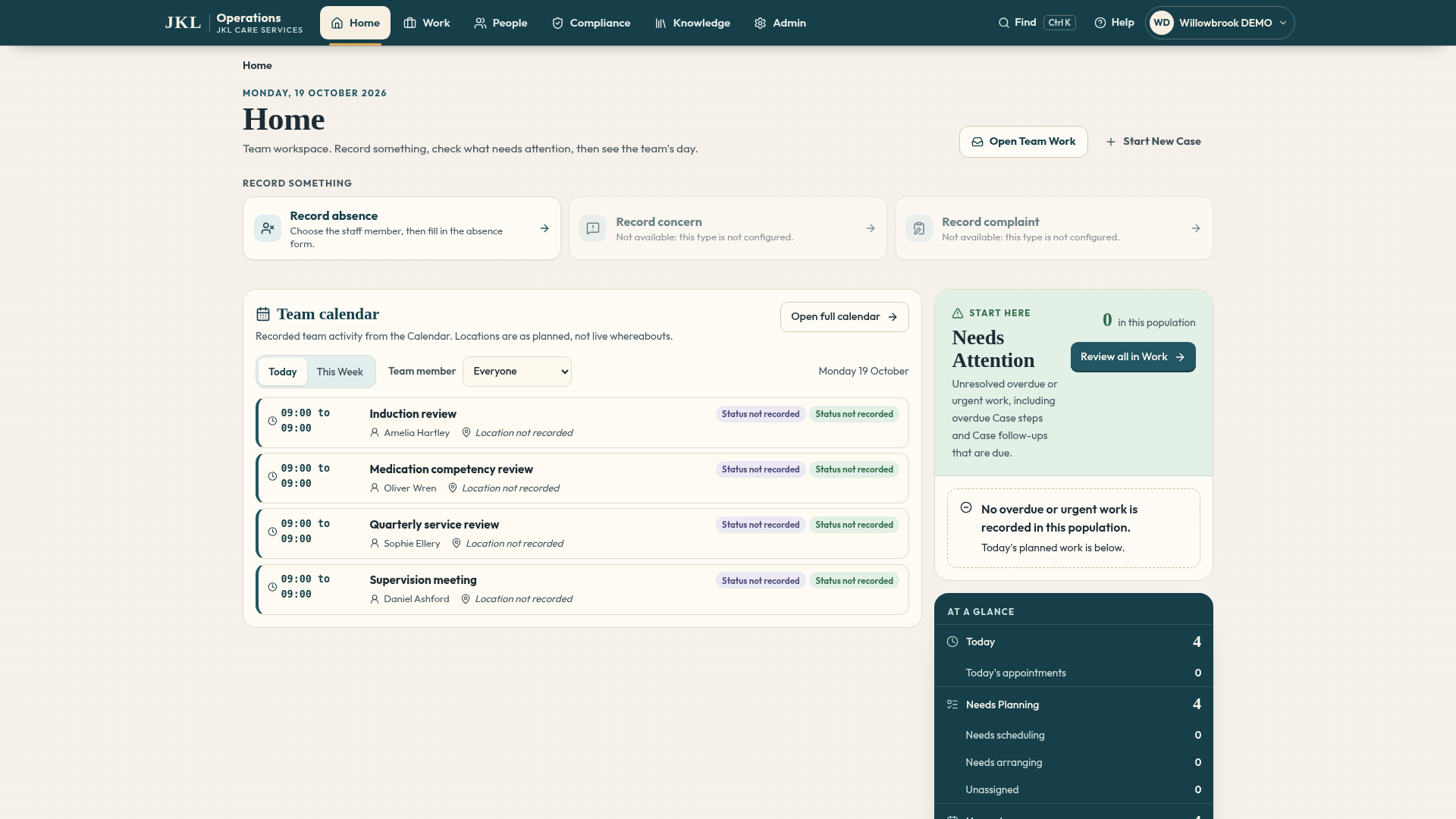
November development interfaces use fictional records and simulated responses; Home and Absence retain October examples. JKL branding is original. These screenshots do not establish live backend workflows, sign-in, saving or automation.
The intended connection
One person, one journey.
Recruitment, new-starter training and probation are meant to be stages of one staff journey. The screens above show recruitment, a new-starter training category and a Probation menu item; they do not show a hire becoming a staff member or a completed induction or probation. No savings or outcomes are claimed.
Follow the applicant
Recruitment places candidates at stages from application to offer, with interviews and recruitment needs alongside them. The supplied screen shows four fictional candidates, not a completed hire.
Prepare the new starter
The Home calendar includes an induction review. Training includes a new-starter category for induction and probation, while Probation appears in People navigation. A completed induction or probation is not pictured.
Keep related follow-up in view
Training dates, absence episodes, service reviews and quality templates give managers related places to organise ongoing work. The screenshots do not demonstrate automatic handovers or an end-to-end employee record.
Built from actually doing the work.
Why it exists
Operations has been shaped by the practical demands of managing a care service: getting people ready, arranging training, following up reviews and keeping a usable record of what happened.
BOLT’s founder has led a care business and handled recruitment, workforce management and compliance processes first-hand. Operations grows from that experience of needing to answer, at any moment, what has been checked and what is still outstanding.
It is a management workspace. It is not a care-delivery app, a visit scheduler or a replacement for clinical systems, and it does not make employment decisions for you.
The software supports management oversight and evidence organisation; it does not determine compliance or replace professional judgement. No regulatory approval, certification or endorsement is claimed.
Where it stands
In private development, and honest about it.
Operations is an internal development/pilot product. It is not publicly available to purchase or register for. These interface demonstrations are not a live account or acceptance of the underlying workflows.
Today
- Commercialisation remains exploratory; customer availability and commercial terms are not confirmed.
- Completed AI or third-party integrations are not demonstrated.
- No certified compliance or guaranteed business efficiency is claimed. Operations does not replace live care-recording or rostering systems.
- Understand
- See the screens
- The practical origin
- Contact BOLT
Interested in where this is going?
If you run a service where recruitment, training, reviews and follow-up all need to stay connected, we would like to hear how you work today.
Talk to BOLTOpens your email app · info@boltgrowthacademy.com